Reviews
Send customers an SMS with a link to review their delivery, and view their feedback under Reports => Reviews Report.
Updated
Use the Reviews module to send customers an SMS with a link to leave feedback.
You can keep reviews internal and visible only to your team, or enable an option that redirects 5-star reviewers to your Google page to leave a public review.
Sending an SMS with a review link
-
Under Messages => Settings, choose the message template where you want to add the link (Delivery / Proof Of Delivery).
-
Insert the dynamic variable
review_linkinto the template content, make sure the message is turned on, and click Save.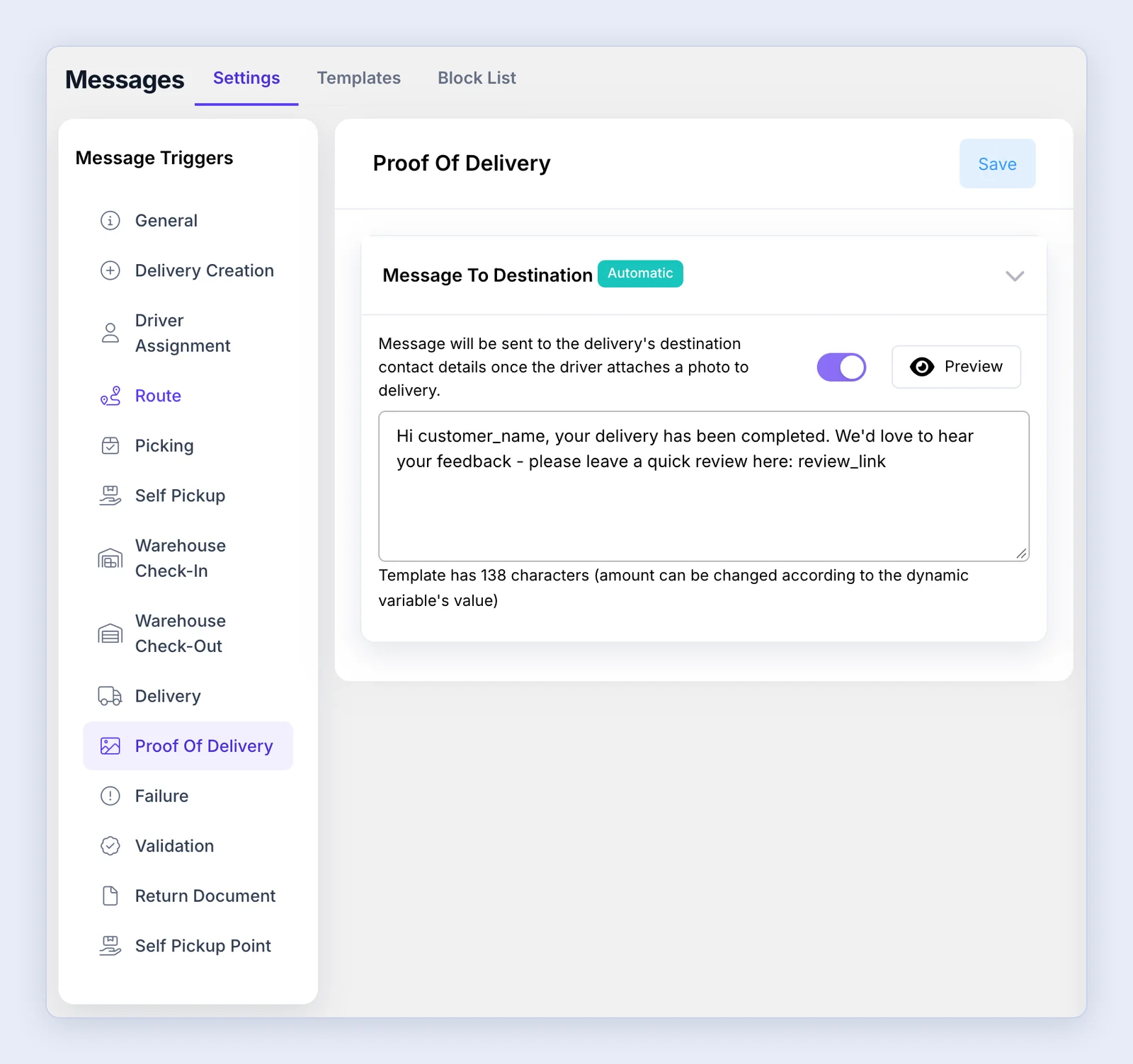
-
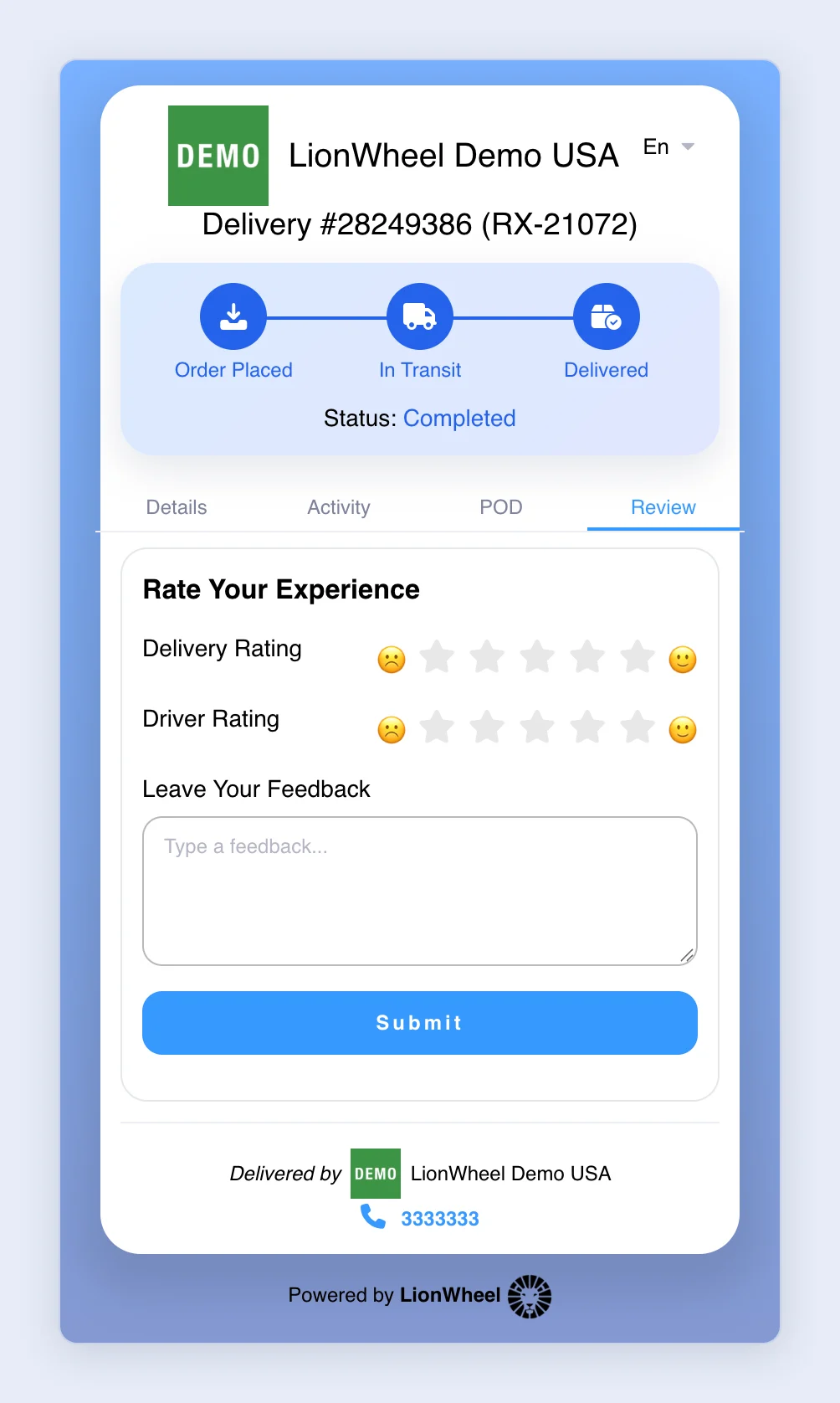
After the driver marks the delivery as completed, the customer receives your SMS with the link to submit a review. The link opens the “Review” tab of the delivery’s tracking page, where the customer rates the delivery and the driver and can leave feedback.
Connecting your Google account for public reviews
Open your Google Business Profile and copy your Write a review link.
In LionWheel go to Settings => General => Reviews Setting and paste the link in the URL to redirect when leaving 5 stars review field.
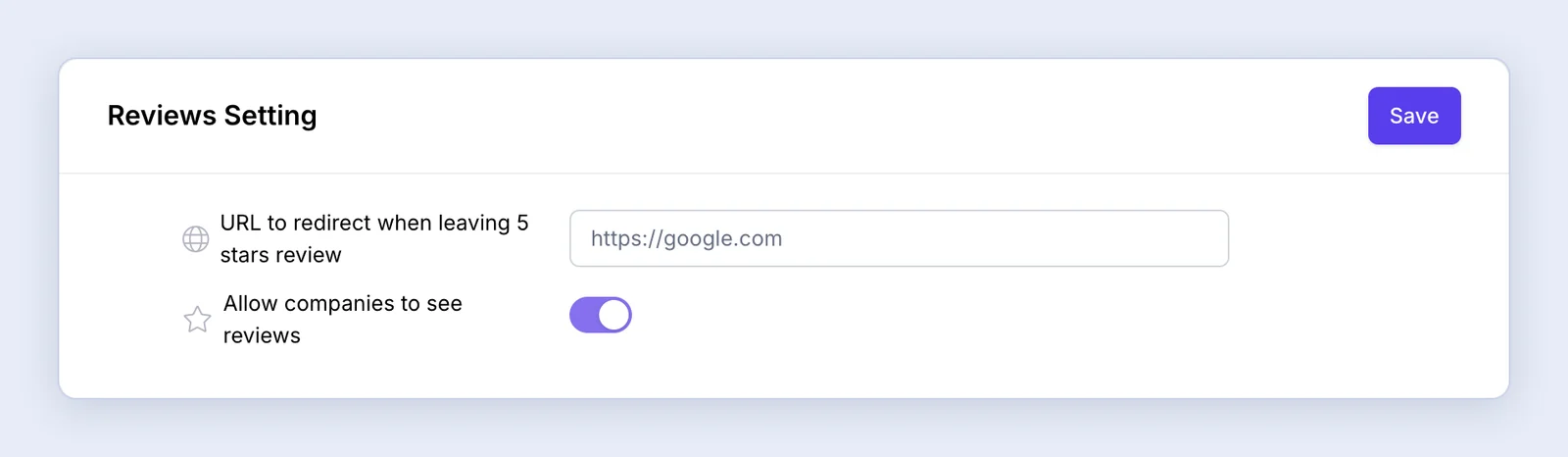
If a customer leaves fewer than 5 stars, the customer will not be redirected to Google. It will be stored as an internal review visible only to you under Reports => Reviews Report.
If the customer leaves 5 stars, they’ll be automatically redirected to your Google page to leave a public review — helping you collect dozens of positive reviews from happy customers.