CRM
View your customer list and customer details in the CRM, add customers manually and send bulk SMS marketing campaigns.
Updated
By clicking on the CRM tab, you will see a list of your customers.
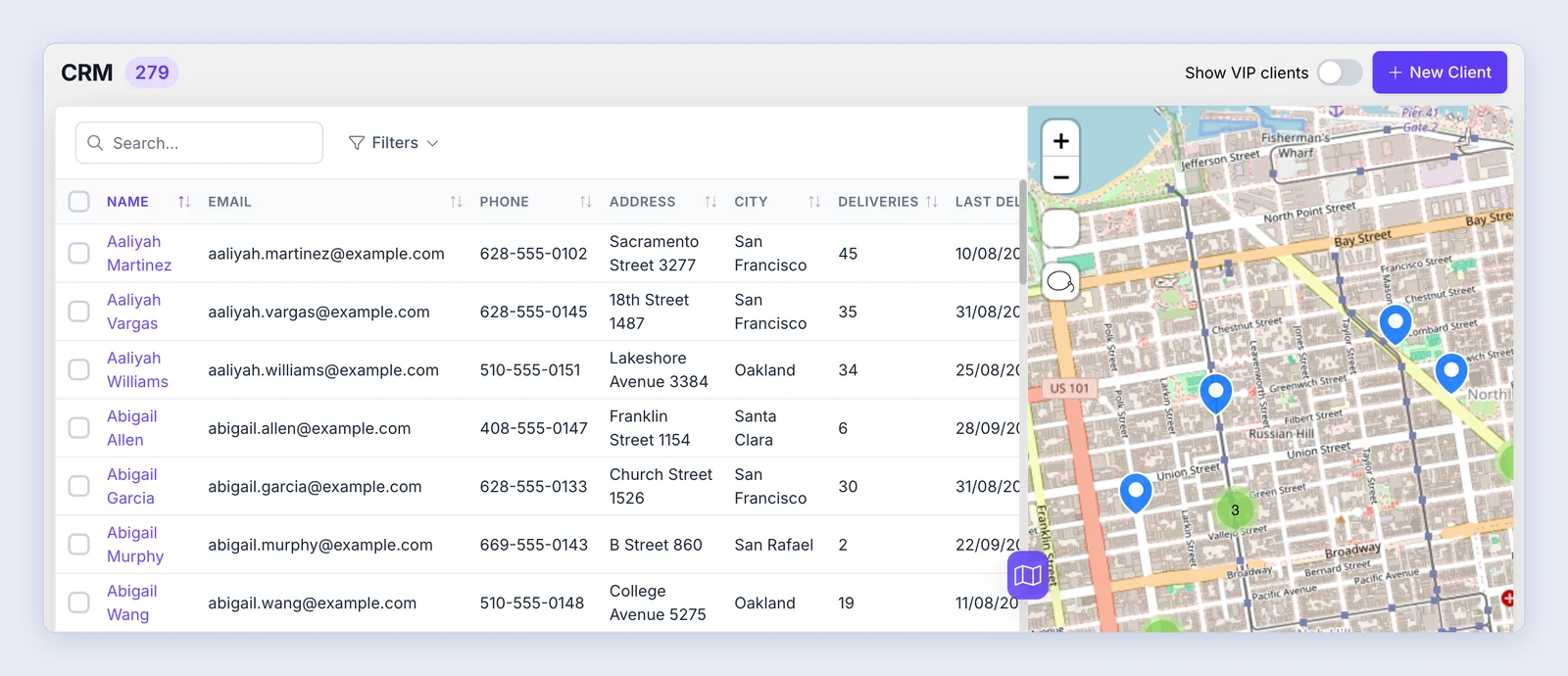
By clicking on a customer, you will be able to see details about that customer (email, phone number, address and their deliveries).
- Auto update geolocation - when turned on, the order’s geolocation is updated based on the client’s data if the address matches.
- Auto update location - when turned on, the order’s location details are always updated based on the client’s data.
- Edit Geolocation - set the address’s exact location on the map (edit geolocation guide).
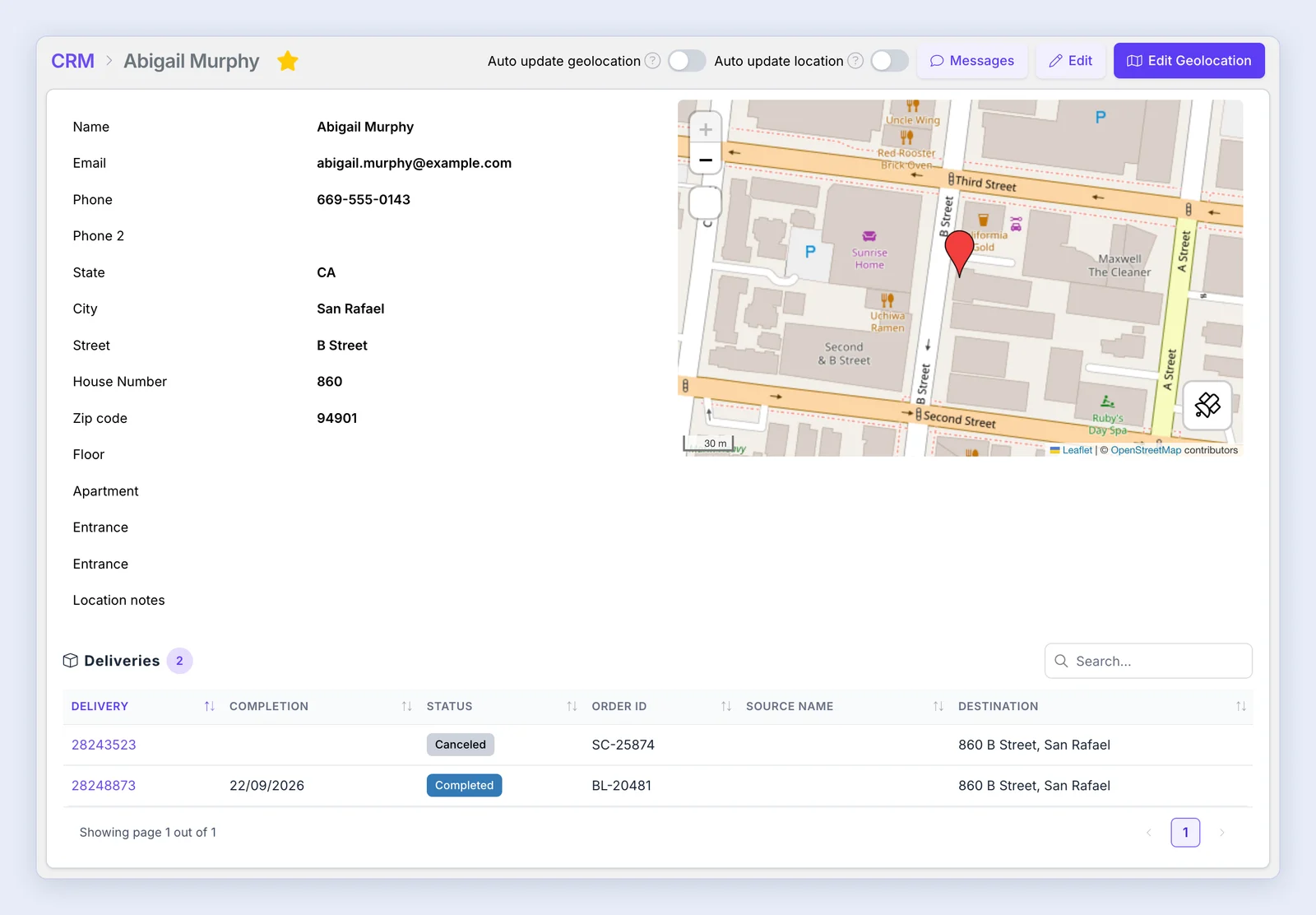
You can also open the client card from a delivery page: click Client at the top of the page.

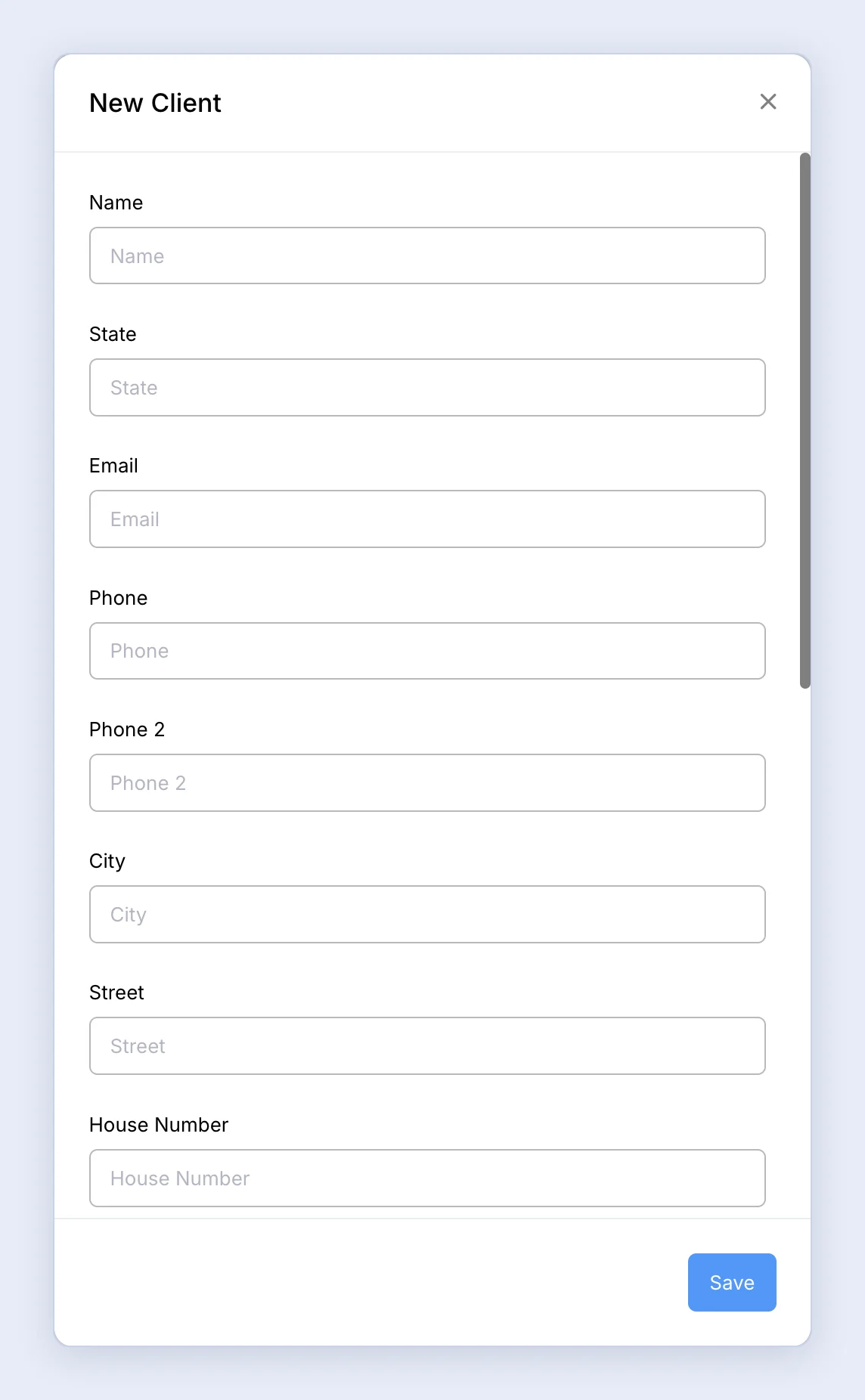
You can also add customers manually: click New Client.
As another option, you can send bulk SMS messages as a marketing campaign: select the clients in the list and click Messages in the action bar that appears (SMS plan required).
